
Start with a specific trade idea
A signal becomes useful when the intended action is clear: which asset, which direction, where to enter and what invalidates the idea. In Orenix, the workflow connects signal review, market context and demo/paper observation. This guide walks through the tools already available on the platform.
The examples come from the published BTC and ETH reviews dated 12 November 2026. Their levels are retained to explain the review process. For your own idea, use current data and keep the assessment time.
Step 1. Transfer the original levels
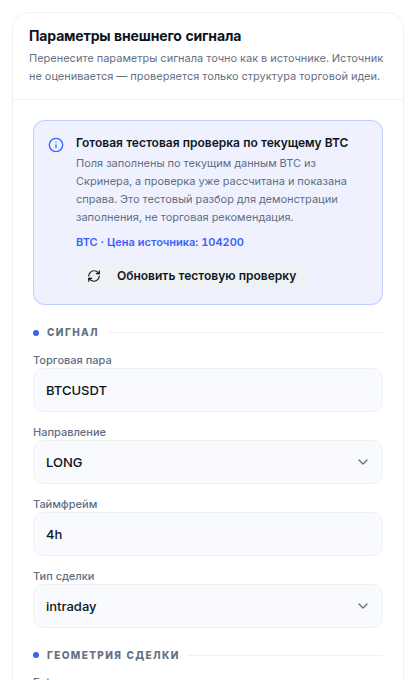
Open the signal review and compare the parameters with the source message. The current interface includes pair, direction, timeframe, trade type, Entry range, Stop Loss, Take Profit targets and leverage. Use the comment field to preserve the reasoning behind the original idea.
Review the original signal before changing its stop or target to improve the ratio. If an important parameter is missing, clarify it before assessing the setup.
Step 2. Read the explanation alongside the score
Compare the assessment with the structure of the trade. In the BTC example, entry at 73,577.10 USDT, stop at 72,841.33 and target at 75,048.64 produced risk/reward near 2:1. The service still suggested waiting: the market direction did not support the proposed LONG idea.
In the ETH example, entry at 2,045.52 USDT, stop at 2,004.61 and target at 2,065.98 produced a ratio near 0.5:1. The target was only half as far from entry as the stop. That is a different reason to reconsider the setup.
| Comparison | BTC | ETH |
|---|---|---|
| Target distance / stop distance | About 2:1 | About 0.5:1 |
| Published review conclusion | Wait | Wait |
| Main point for the reader | Direction did not support the idea | Target was closer than the stop |
| Next question | What confirmation is needed? | Does the original level structure make sense? |
The individual reviews retain the full parameters, assessment time and service output, so you can follow how the initial idea led to the conclusion.

Step 3. Examine the broader market
Open the screener and study the chosen asset alongside the overall market regime. Market Mood adds this broader picture. Check data freshness, scenario direction and range, liquidity and reversal risks.
Write down one specific conclusion: what supports the idea, and what makes waiting sensible? Keep that reasoning with the levels. A later review can then respond to a change in conditions.
Step 4. Choose the next action
The review can lead to further observation, waiting for confirmation or rejecting the original idea. Each outcome provides useful information for your process.
If you change the levels, keep the revised plan separate. Entering after a price move creates a different stop and target calculation. Comparing two versions is more informative than overwriting the first.
Step 5. Prepare a demo/paper observation
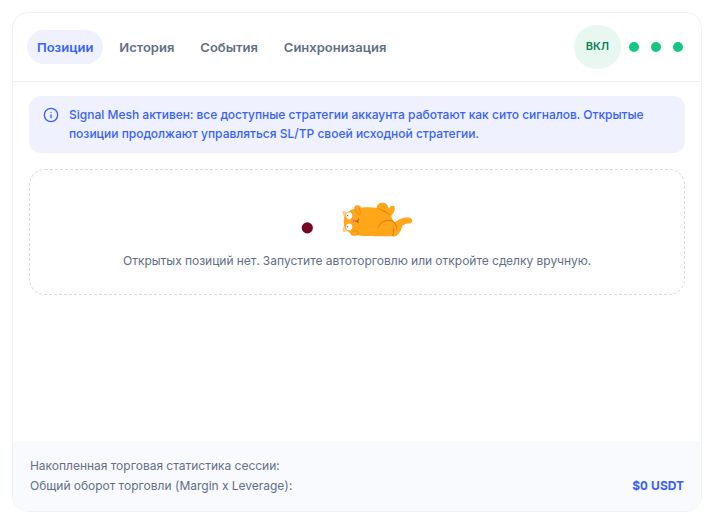
For an idea you choose to study further, open the terminal and confirm that demo mode is selected. Transfer the pair, direction, entry, Stop Loss and Take Profit. Compare position size with the cash risk you intend to allow.
Before starting, record the management rules: what counts as entry, when the idea is cancelled and how the position should exit. This gives the observation a defined plan.
This section describes the steps for your own demo observation. The BTC and ETH results above concern signal analysis; a demo trade's lifecycle is recorded separately in the terminal history.
Step 6. Compare the observation with the plan
The journal should contain more than the final outcome. Record timestamps, original levels, the assessment, actual actions and rule changes. If no trade opens, record why: entry was not reached, the scenario was cancelled or you chose to wait.
| Before observation | During observation | After completion |
|---|---|---|
| Original signal and time | Entry and changing conditions | Exit reason or reason no trade opened |
| Pair, direction, entry, stop and targets | Management actions | Comparison with the original plan |
| Assessment and market context | Revised plan, if applicable | What to examine in the next idea |
Demo models execution. When comparing it with exchange trading, account for actual fees, liquidity and slippage.
Try the workflow with your own signal
Start with one idea whose levels you understand. Open the review, read the reasoning and compare it with your analysis. Retain the plan for observation. This is a practical way to judge how Orenix fits your own trading approach.
Signal review questions
What if price has moved away from entry?
Keep the original plan and recalculate at the current price. Compare stop and target distances, then review market context again.
Can I evaluate my own idea without Telegram?
Yes. Enter the pair, direction and levels manually. Using the Orenix interface requires signing in.
Where can I observe the plan afterwards?
Use demo/paper in the terminal. Record entry and exit rules first, then compare the action history with the plan.